The bd234 app puts cricket betting, live casino, slot games and crash games on your Android phone. It loads faster than the browser version and keeps you logged in between sessions — no repeated sign-ins.
Faster loading
Pages open in roughly half the time compared to a mobile browser tab.
Push notifications
Get match alerts, bonus credits and deposit confirmations instantly.
Touch-optimised
Bet slips, game grids and menus are sized for one-thumb use.
SSL secured
All traffic between the app and bd234 servers is encrypted end-to-end.
Requires Android 6.0 or later
The bd234 app is not on Google Play Store. Download directly from this page — see the installation steps below if you get an "unknown sources" prompt.
App vs Browser: Which is Faster?
Both options work, but the bd234 app has a few clear advantages for daily players. Here is a direct comparison:
| Feature | bd234 App | Mobile Browser | Desktop Browser |
|---|---|---|---|
| Page load speed | Fast – cached assets | Moderate – re-fetches CSS | Fast – larger pipe |
| Stay logged in | Persistent session | Clears on tab close | Clears on tab close |
| Push notifications | Yes | No | Browser only |
| bKash / Nagad deposit | In-app redirect | Yes | Yes |
| Live cricket score overlay | Yes | Partial | Yes |
| Game catalogue (all games) | Full – 4,500 games | Full – 4,500 games | Full – 4,500 games |
| Offline error page | Custom offline screen | Browser default page | Browser default page |
| Installation required | Yes – 45 MB APK | No install needed | No install needed |
| iOS support | Add to Home Screen (PWA) | Safari / Chrome | Any browser |
| Cost | Free | Free | Free |
Verdict: If you bet on cricket matches or play live casino regularly, the bd234 app gives you a noticeably smoother experience. If you only log in once a week, the browser version is perfectly fine — same games, same account, same wallet.
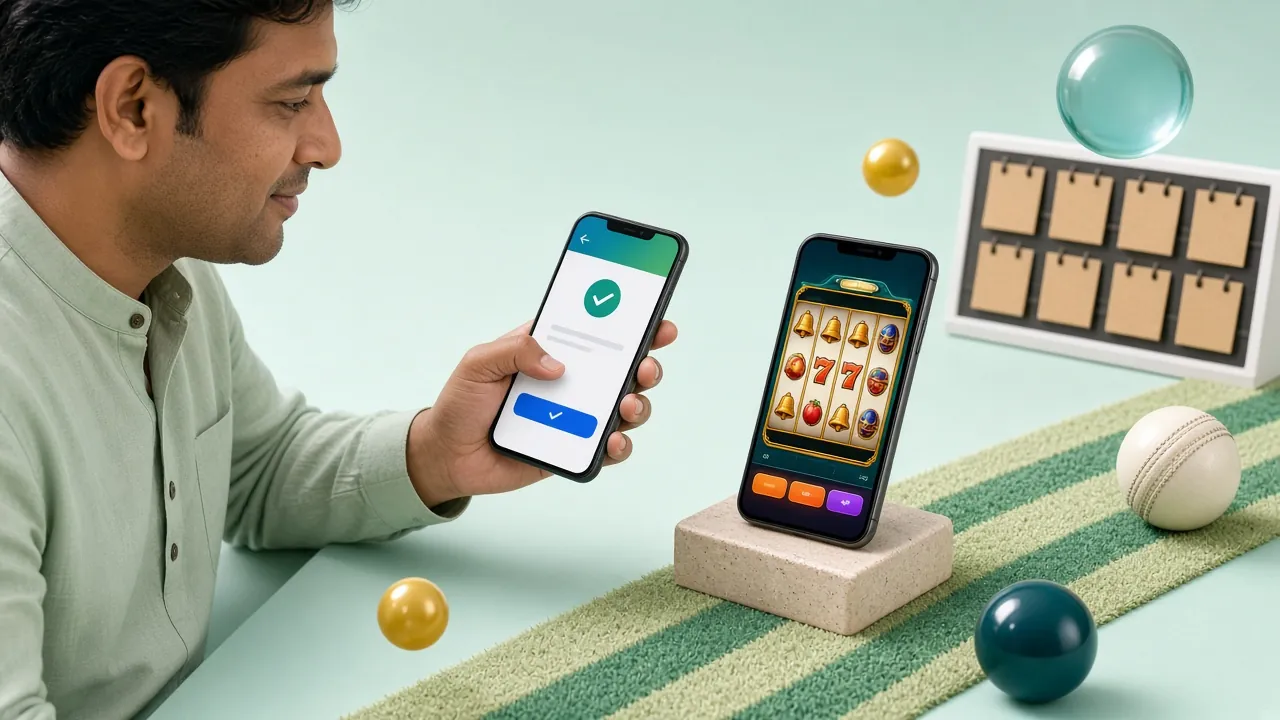
What the App Asks to Access
The bd234 app requests only the permissions it genuinely needs. Here is what each one is used for, so you can make an informed decision before installing.
Internet Access
Required for all app functions — loading games, placing bets, processing deposits via bKash or Nagad, and connecting to live casino streams. Without this permission the app cannot open at all. This is the only permission that is strictly mandatory.
Notifications
Used to send you deposit confirmations, bonus credit alerts and match kick-off reminders. You can turn individual notification types off inside the app settings at any time — the app still works fully without them enabled.
Storage (Read / Write)
Needed only to save the APK installer file during the update process and to cache game assets so pages load faster on slow mobile connections. The app does not read or modify any personal files or photos stored on your phone.
SSL Encryption on All Traffic
Every data packet between the bd234 app and our servers uses TLS encryption. Your account credentials, wallet balance and transaction history are never sent in plain text. The APK itself is signed — Android will warn you if the file has been tampered with.
Android Installation: Step by Step
The whole process takes under two minutes. Follow these five steps in order and the bd234 app will be ready on your home screen.
Go to Settings → Security (or Privacy on newer phones) and enable "Install from unknown sources" for your browser or file manager. On Android 8 and above, you grant this permission per-app when prompted during install — no need to change a global setting.
Tap the "Download APK" button on this page. Your browser will save bd234.apk (45 MB) to your Downloads folder. Wait until the progress bar completes — do not close the browser tab mid-download, as this produces a corrupt file that will fail to install.
Open your Downloads app or file manager, find bd234.apk and tap it. Android will show an install confirmation screen listing the permissions the app requests. Review them, then tap Install. The app installs silently in the background — it usually takes under 30 seconds.
Open bd234 from your app drawer. If you already have an account, enter your phone number and password to log in. New players tap "Register" and complete the form in about 60 seconds. First-time registrations qualify for the welcome bonus automatically.
Go to Wallet → Deposit. Choose bKash, Nagad, Rocket, Upay or Bank Transfer. The minimum first deposit is ৳400. Funds arrive within 5 minutes. Once credited, head to Cricket, Casino or Crash Games and start playing — the full catalogue of 4,500 games is available immediately.
iOS users: Open bd234.one in Safari → tap the Share icon → "Add to Home Screen". This pins the site as a PWA icon on your home screen. All features work the same as on Android — the experience is identical to the app. There is no separate iOS .ipa file at this time.
What You Can Do Inside the App
From the bd234 app home screen you reach every part of the platform in one tap. Here are the six main areas players use most.
Cricket Betting
Bet on BPL, IPL, T20 World Cup and ODI series in real time. Live odds update ball-by-ball. 1X2, top batsman, over/under and dozens of other market types are available. Cash-out before the innings ends if the game is going the wrong way.

Live Casino
HD streams of real dealers running roulette, baccarat, Teen Patti and Dragon Tiger. Tables from Ezugi and KA Gaming run around the clock. Minimum bets start from ৳10 — suitable for casual sessions as well as high-stakes play.
Slots & Games
Over 4,500 slot titles from Red Tiger, Habanero, Playtech, KA Gaming and Ezugi. Bet from ৳1 up to ৳50,000 per spin. Popular picks include Phoenix Rises (RTP 97.7%), Monster Dice (RTP 97.3%) and Fortune Mouse (RTP 97.5%).
Crash & Aviator-Style Games
Watch a multiplier climb and cash out before it crashes. Games like Color Prediction (RTP 96.2%) and Crazy 777 (RTP 96.3%) are popular crash-style picks on the platform. Fast rounds mean you can fit in a session between overs.
Wallet & Payments
Deposit with bKash, Nagad, Rocket, Upay or Bank Transfer — funds land in under 5 minutes. Withdraw as little as ৳1,400 and the money reaches your mobile wallet within 17 minutes on average. Daily withdrawal cap is ৳25,000 at Copper tier.
Bonuses & VIP
Claim your welcome bonus from the Promotions tab — the app shows your current bonus balance and wagering progress in real time. VIP tier upgrades, daily cashback (0.5% at Copper) and reload bonuses are all managed here. See the Bonus & VIP page for full details.
Version & System Requirements
Check the table below before downloading — all figures are from the official bd234 release notes.
| Field | Detail |
|---|---|
| Current version | 2.0.12 |
| File name | bd234.apk |
| File size | 45 MB |
| Minimum Android version | Android 6.0 (Marshmallow) or later |
| Last updated | 11 November 2026 |
| Price | Free |
| Interface languages | English, Bangla |
| iOS support | PWA via Safari "Add to Home Screen" |
| Internet connection required | Yes – mobile data or Wi-Fi |
| Recommended RAM | 2 GB or more for smooth live casino streaming |
If your phone runs Android 5.x, use the browser version at bd234.one — it covers all the same games and payment methods. Android 4.x and below are not supported.
Common Installation Problems – Quick Fixes
Most install errors have a simple cause. Find your problem in the first column and follow the fix.
| Problem | Likely Cause | Fix |
|---|---|---|
| "Install blocked" | Unknown sources permission not enabled for the app you used to open the APK. | Go to Settings → Apps → find your file manager or browser → Permissions → allow "Install unknown apps". Then tap the APK file again from your Downloads folder. |
| "App not installed" | The APK file downloaded incompletely or was corrupted during transfer — common on slow mobile data. | Delete the incomplete file from Downloads, reconnect to a stable Wi-Fi network, and re-download bd234.apk from this page. Do not close the browser while downloading. |
| App crashes on launch | Insufficient free storage or RAM. Some budget phones with 1 GB RAM struggle with live casino streams. | Free up at least 200 MB of internal storage. Close background apps before launching bd234. If crashes persist, use the browser version at bd234.one instead. |
| Login fails after install | Account not yet created, or password entered incorrectly — the app shows a generic error on both. | Tap "Forgot Password" to reset via your registered phone number. If you have not registered yet, tap Register and create a new account. Existing accounts work immediately — no extra activation step needed. |
| Games load slowly | Mobile data connection below 4G speed, or VPN routing adding latency. Live casino streams need a stable connection. | Switch to Wi-Fi if available. Turn off any VPN — bd234 is accessible directly in Bangladesh without one. If the issue is network-side, try slot games (smaller assets) while your connection stabilises. |
Still stuck? The bd234 live chat team is available 24/7. Tap the chat icon inside the app or visit the login page to open a chat session without logging in.
Install the bd234 App: Five Steps
-
01Download the APK
Tap the Download APK button on this page. The file is 45 MB — it takes under a minute on a standard mobile connection.
-
02Allow Unknown Sources
Android will ask permission to install apps outside Google Play. Go to Settings → Security → Install Unknown Apps and enable it for your browser or file manager.
-
03Open the Downloaded File
Pull down your notification shade and tap bd234.apk, or find it in your Downloads folder. Android will show an install confirmation screen.
-
04Log In or Create an Account
Open the app after installation. Existing players tap Log In and enter their details. New players tap Register — the form takes about two minutes.
-
05Deposit and Start Playing
Tap Deposit, choose bKash, Nagad, Rocket, Upay or Bank Transfer, and send a minimum of ৳400. Funds arrive in about 5 minutes — then pick a game or place a cricket bet.
Android 6.0 or later required. If the install fails, check that you have at least 50 MB of free storage and that the APK download completed fully before tapping it. Version 2.0.12 is the current release.
Questions About the bd234 App
Is the bd234 APK safe to install on my phone?
Yes. The bd234.apk file is signed with a developer certificate — Android will reject the install and show a warning if the file has been modified by anyone after signing. Download only from this page (bd234.one/bd234-app/) to guarantee you get the genuine file. The app requests only three permissions: internet access, notifications and storage for caching game assets. It does not access your contacts, camera or location. All data between the app and bd234 servers is encrypted with TLS.
My installation failed — what should I check first?
Three things cover almost all install failures. First, check that "Install from unknown sources" is enabled for the app you used to open the APK (browser or file manager) — this is a per-app setting on Android 8 and above. Second, make sure the download completed fully; a 45 MB file on slow mobile data can stall and produce a corrupt APK — delete and re-download on Wi-Fi. Third, confirm you have at least 100 MB of free internal storage. If none of these help, contact 24/7 live chat.
How do I update the bd234 app when a new version is released?
The app checks for updates automatically when you open it. If a newer version is available, a banner appears at the top of the home screen with an "Update Now" button — tapping it downloads the new APK directly within the app without sending you back to the website. You can also update manually by downloading the latest APK from this page and installing it over the existing version. Your account, wallet balance and bet history are stored server-side and are not affected by updates.
Can I use the bd234 app on an iPhone or iPad?
There is no .ipa file for iOS at this time. iPhone and iPad users can get a very similar experience by opening bd234.one in Safari, tapping the Share icon (the box with the upward arrow), and choosing "Add to Home Screen". This creates a PWA shortcut that opens the site full-screen without browser navigation bars — it looks and feels like a native app. All game types, payment methods and bonus features work the same through Safari as they do through the Android app.
Does the app have all the same games as the website?
Yes — the full catalogue of 4,500 games is available through the app. This includes slots from KA Gaming, Red Tiger, Habanero, Playtech and Ezugi; live casino tables (roulette, baccarat, Teen Patti, Dragon Tiger); fishing games like Cannon Fishing and Star Fishing; crash games; and the complete cricket and football sportsbook. The casino lobby and sports betting sections are identical to what you see in the browser. No games are locked to desktop-only.
How do I turn off push notifications from the bd234 app?
Open the app and go to Settings → Notifications. You can toggle each notification type independently: deposit confirmations, bonus alerts, match reminders and promotional messages. If you want to disable everything at once, go to your phone's Android Settings → Apps → bd234 → Notifications and turn them all off system-wide. Disabling notifications does not affect any app functionality — your bets, wallet and live games all continue working normally.
Do I need to create an account before downloading the app?
No — you can download and install the bd234 app first, then register from inside the app. The registration form takes about 60 seconds: enter your phone number, set a password and confirm. You will need an active Bangladesh mobile number. If you already have an account from using the website, just log in with the same credentials — your balance and history carry over immediately. New registrations via the app qualify for the same welcome bonus as website sign-ups. Visit the register page for full instructions.
Download the bd234 App Now
45 MB · Free · Android 6.0+ · Takes under 2 minutes to install and log in
18+ · Play Responsibly · Gambling involves risk · Bangladesh players only